Creator Micro: your favorite Codex models, one keypress away!
Purchased this very cool Creator Micro 2 keypad that has legit accelerated my use of Codex for agentic coding and now with my new custom model + thinking level selector is also saving me tokens! Here's the open-source project, and a look at it in action.
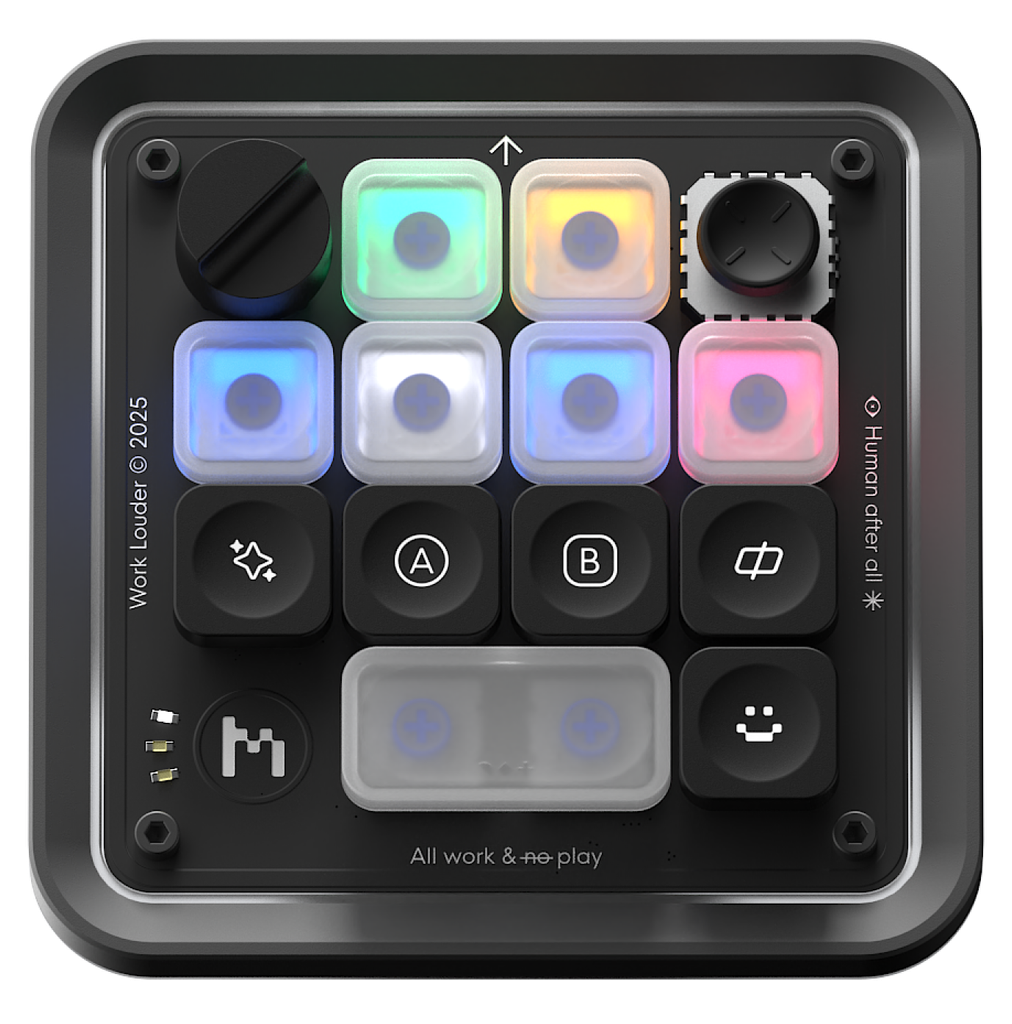
With the Creator Micro, you can set each individual key to set one-click most shortcuts that would take a couple clicks in the Codex app.
Remember I said most!
I wanted to be able to one-click set a model + thinking level - and that was not an option (currently). For example, one buttons sets Luna 6 + Extra High reasoning - another sets Sol 6.1 + High, and another sets Astra 6 + Low.
Pick the one I need, press a key, and keep working in Codex. No trip through the model menu every time. Helps me spend less tokens by not just sending all the queries to Astra 6.
But in the agentic coding age - we don't take "it doesn't exist" as an answer - we make it and share it!
Thus Model Key Mapper for Codex was born!
A Windows app you can configure and run alongside Codex. And yes, it's open source!
Three keys. Three ways to work.
Here's the result. The highlighted key on the keyboard graphic shows which preset is being triggered, and Codex changes the model and reasoning level beside it SUPER FAST.
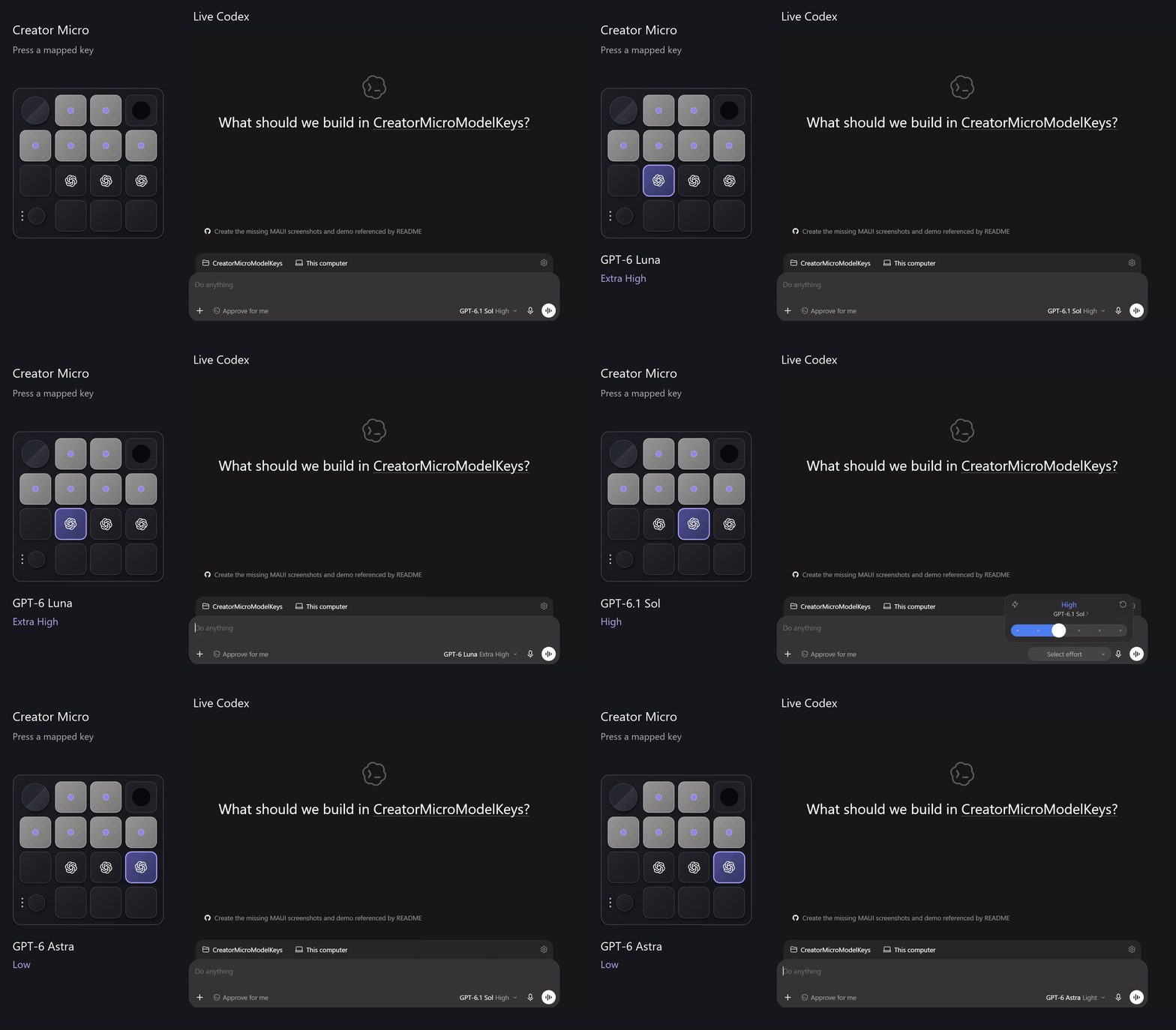
You can put a model on any of the seven black keys, and the colored Codex chat keys keep working.
Make the keyboard yours
Click the tray icon, select a key, and choose Model Mapped. Pick your model and reasoning level, then click Done. Choose Default to return that key to its original Codex action.
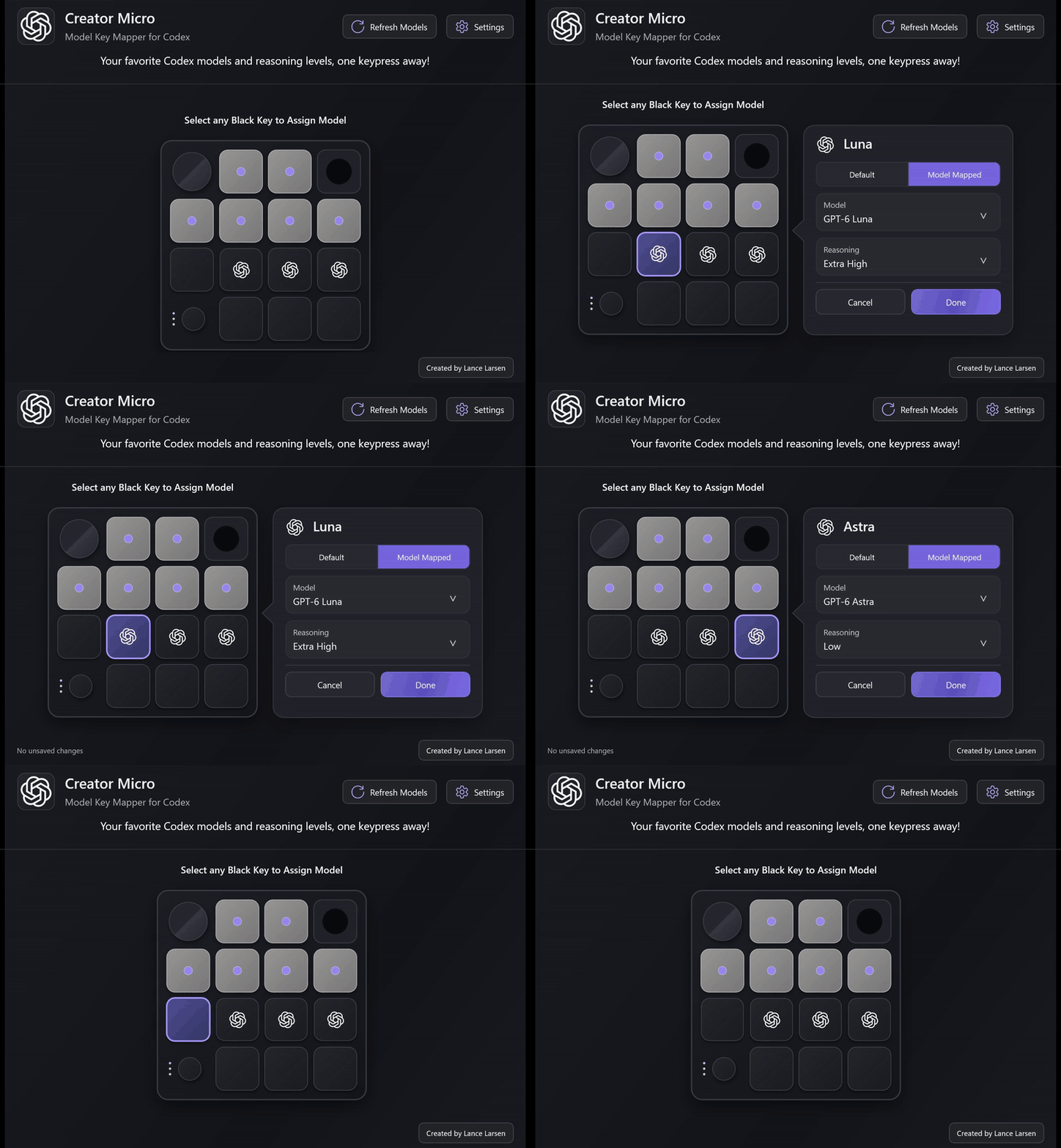
The app can launch with Windows and refresh its model list when you open the editor. Refresh Models reads the choices in your Codex account, so the list can keep up as new models arrive.
How it works
The interface is built in C# and .NET MAUI.
The helper listens for the Creator Micro's device notifications through Windows Raw Input. When a mapped key is pressed, it looks up that key's preset and uses Windows UI Automation ( calls to user32.dll) to operate Codex's model and reasoning controls.
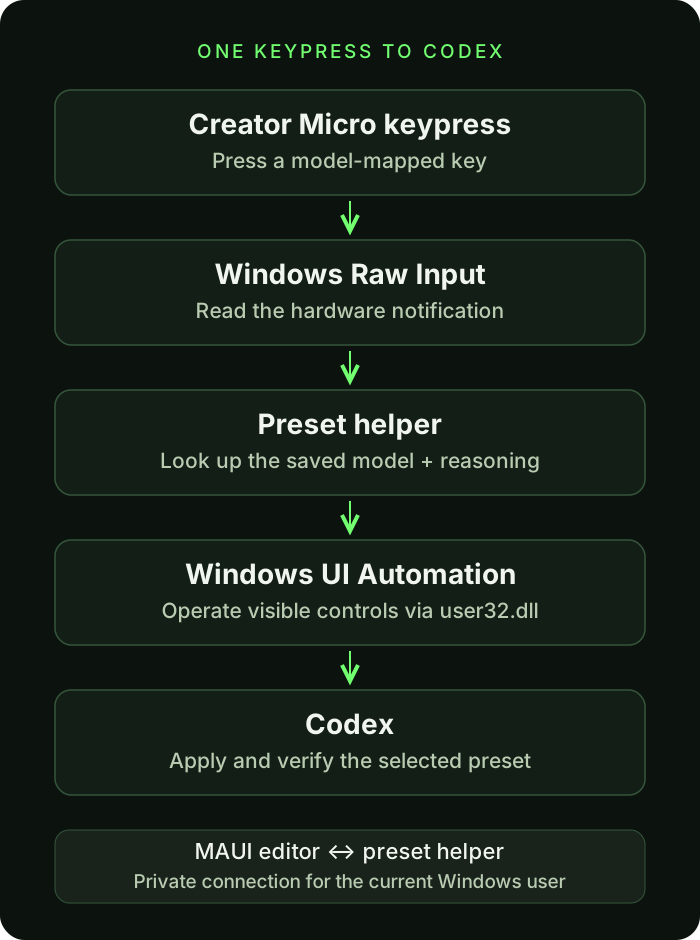
Before enabling a mapping, the helper saves that key's native action so it can restore it later. It also checks Codex's resulting composer label to make sure the requested model and reasoning were selected. Ordinary typing isn't intercepted.
Try it, fork it, make it better
The GitHub repository has the build and installation instructions, the full implementation walkthrough, and troubleshooting notes. That's also the place to report a bug or suggest an improvement.
Looking for the hardware? Here's the Creator Micro from Work Louder.
If you're switching models throughout the day, give it a try. I'd love to hear which presets end up on your keys!
Independent community project. Not affiliated with or endorsed by OpenAI or Work Louder.